Capture it while it’s fresh.
Add tasks, deliveries, staff, inspection notes and road blocks to today’s diary.
For foremen, supervisors & trades
Keep site notes, road blocks and unfinished work together. Know what needs attention today—and take a clear record home.
No card required. One diary. Your devices.
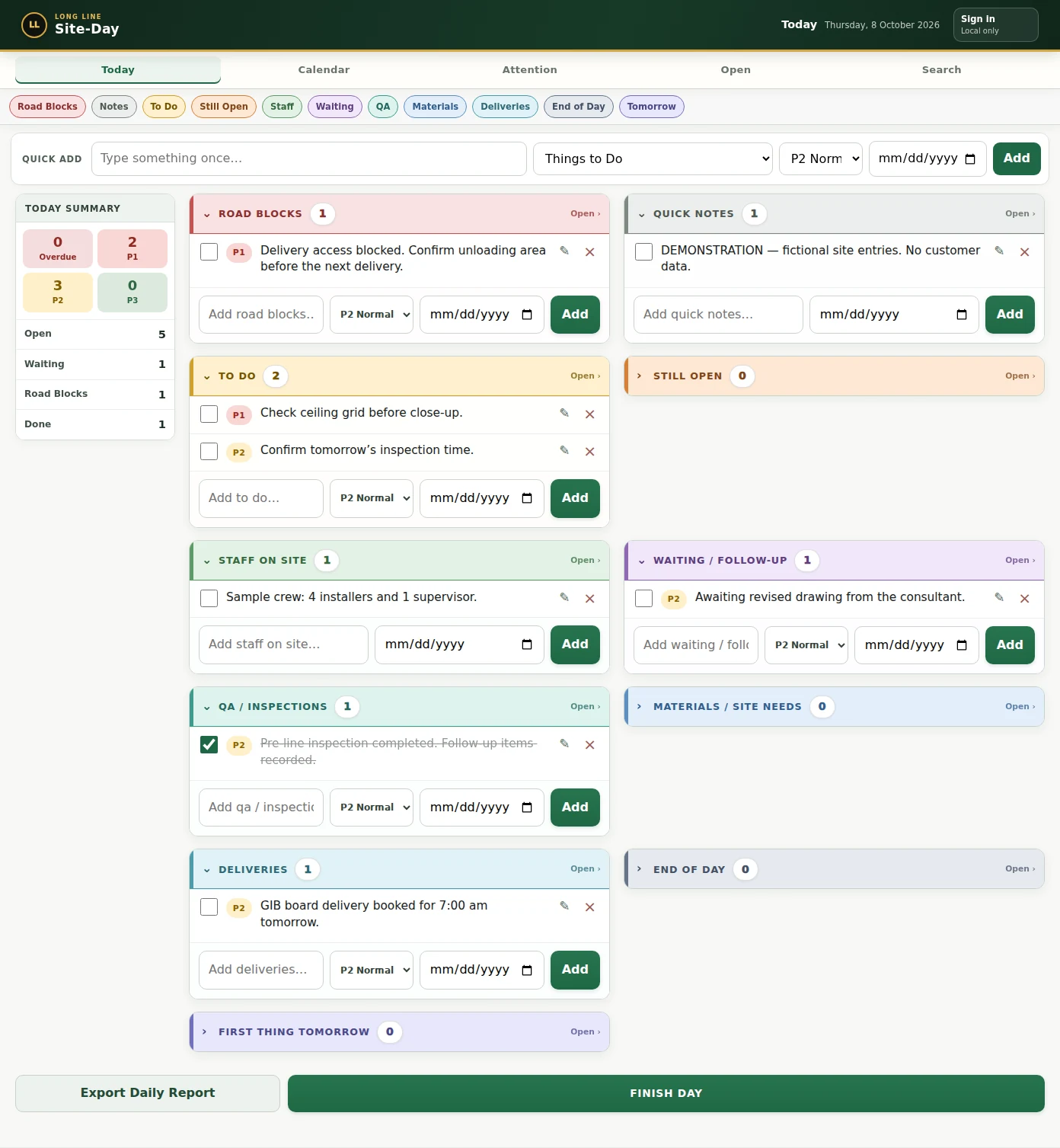
A practical daily rhythm
Site-Day follows the working day, with a place for the details you need to remember.
Add tasks, deliveries, staff, inspection notes and road blocks to today’s diary.
Priorities and due dates help you find urgent work. Use the Attention view to check overdue items.
Unfinished entries automatically follow you into the next day, with their history—even if you forget to finish the day.
Export a daily PDF to share through your device or file with your project records.
See the actual app
The same personal diary on your phone, tablet and computer when you sign in with the same account.
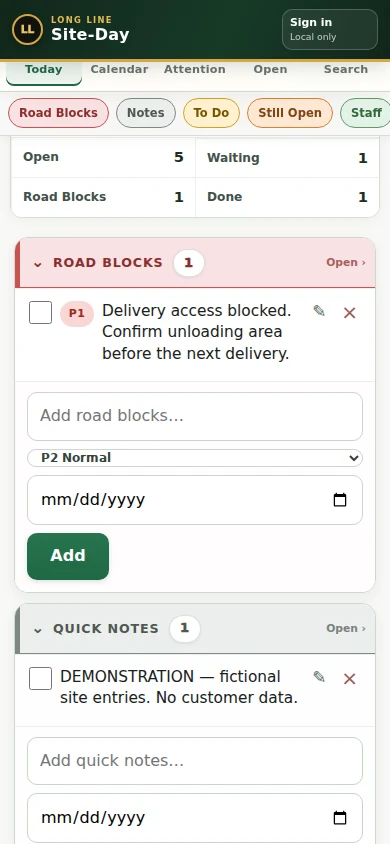
Sign in once on each device to access your diary. Each person has their own account and records.
Your diary saves on the device first. Once loaded, it can work offline and sync when connected.
Export daily PDFs and a separate JSON diary backup. Keep a copy with your project files.
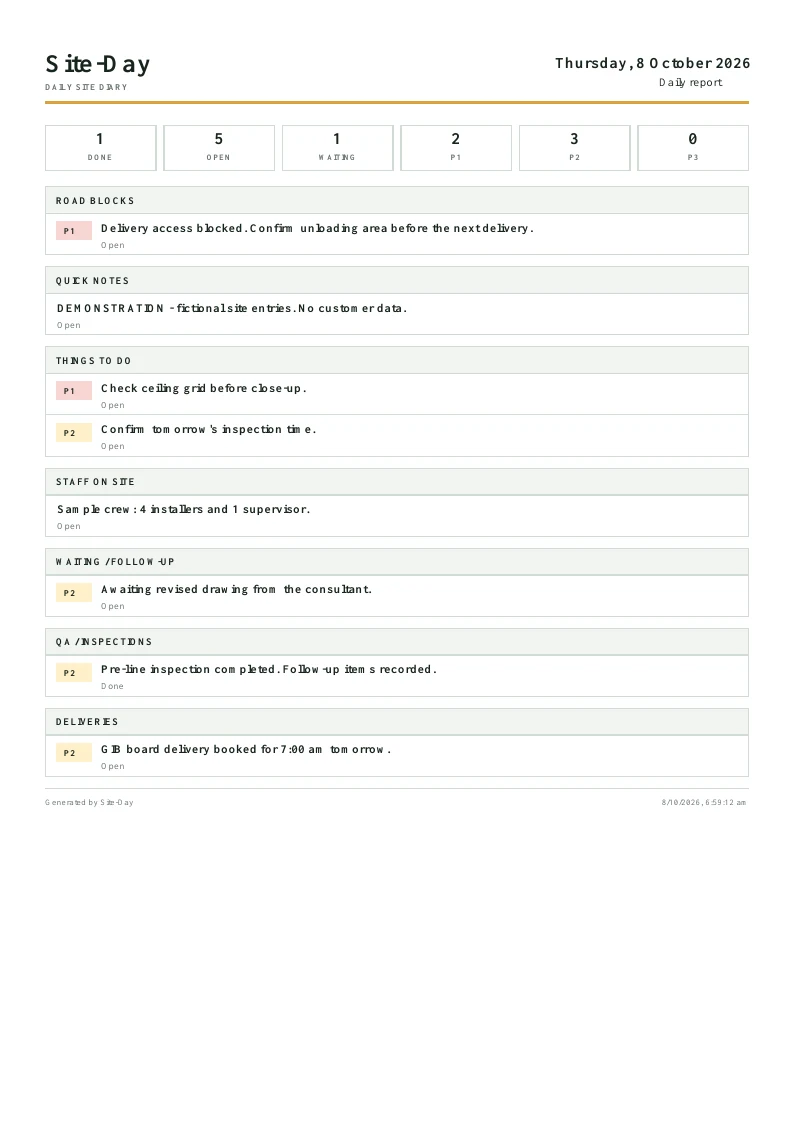
A useful record at knock-off
Turn your diary into a daily PDF with entries, priorities and statuses. Send it using your device’s sharing tools or save it with the job records.
View a sample daily PDFExported by Site-Day using fictional demonstration entries.
One straightforward plan
Site-Day Solo includes a personal diary, cloud sync, carry-forward and daily PDF reports. Start with 14 days free, no card required.
NZ$19/ month
For one person, across their devices.
Then NZ$19 per month if you subscribe.
NZ$190/ year
Two months free compared with monthly billing.
Then NZ$190 per year if you subscribe.
The free trial does not start a paid subscription. If you later subscribe, your plan renews automatically until you cancel renewal. Access continues to the end of your paid period. See Terms.
Foremen, site supervisors and trades who want a straightforward daily diary and action record. Solo is for one person; it is not a shared team workspace or a full estimating and project-management suite.
Yes. It runs in a browser. Sign in with the same Site-Day account on each device to sync your diary. Separate accounts keep separate diaries.
Once the app is loaded, your entries save on that device. Cloud sync needs a connection. Check that the app shows Synced before switching devices.
No. New accounts include 14 days free without a payment card. You choose whether to start a paid subscription afterward.
Use Cancel subscription renewal in your signed-in account. Your access continues until the end of the paid period. For billing help, contact support.
Yes. Export a daily PDF from the diary, or a JSON backup from your account or Search tools. Keep backups somewhere you can retrieve them.
Long Line Site-Day
Start today’s diary. Keep the next step in view.
No card required.